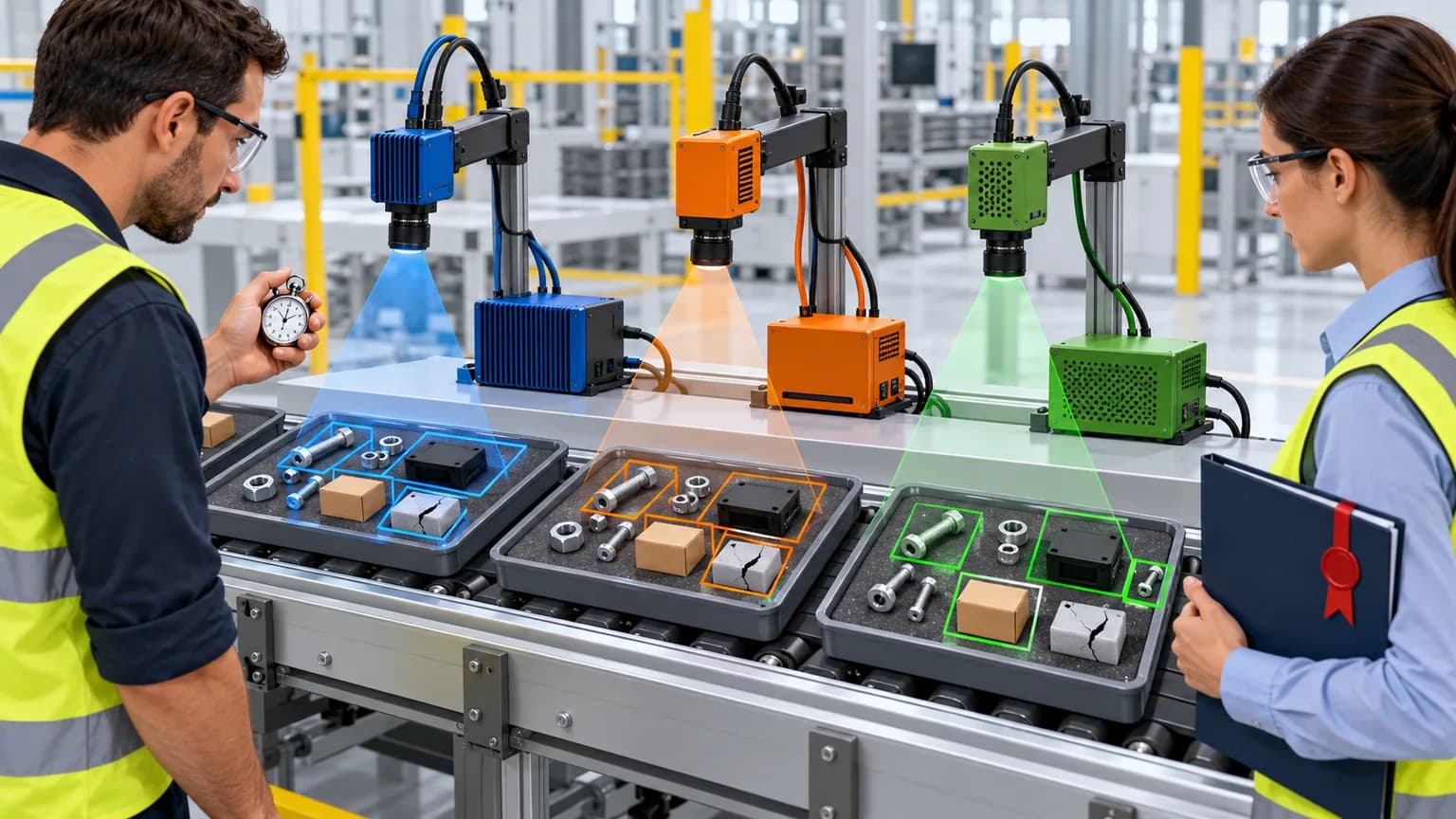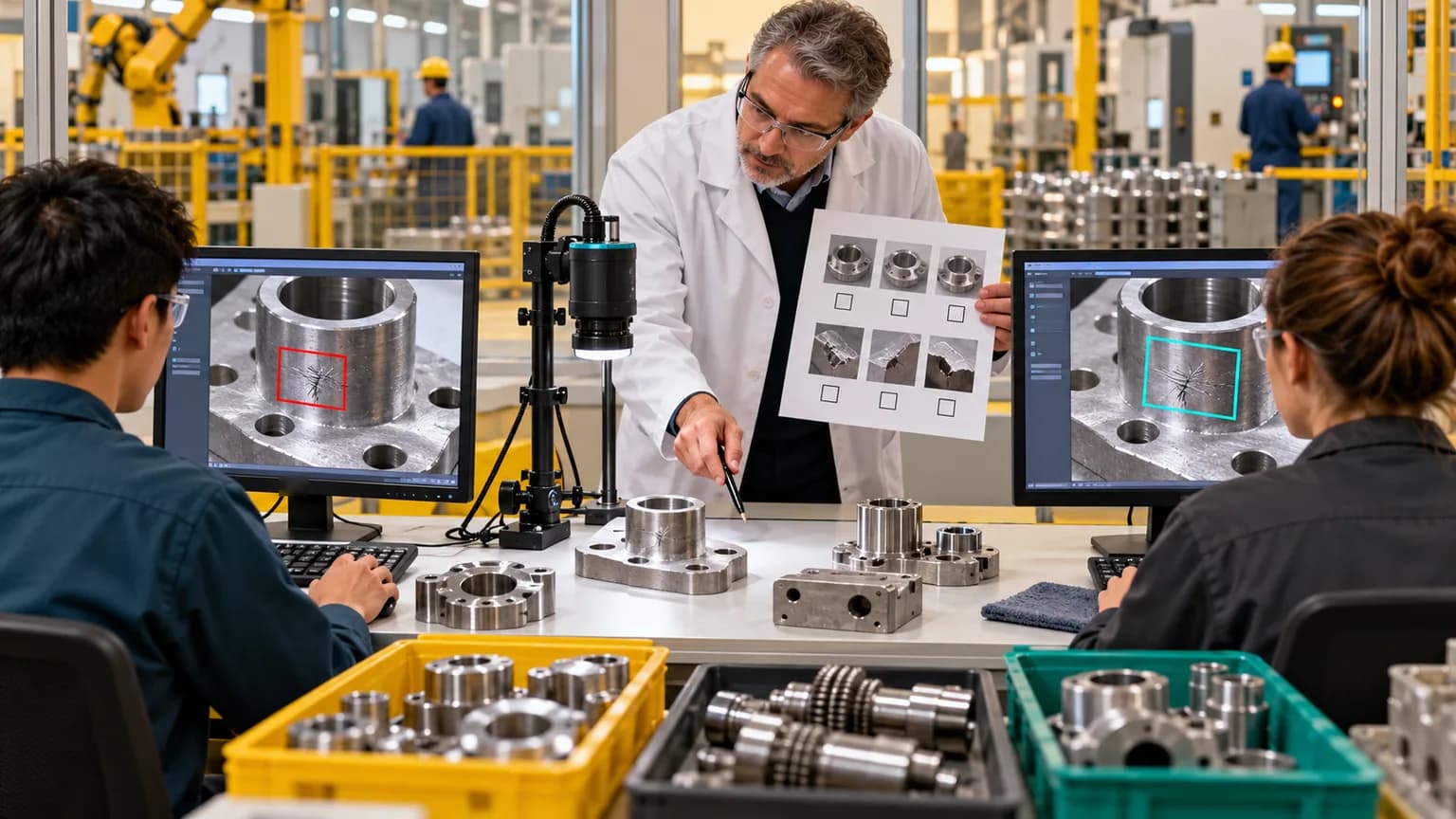
To label data for computer vision, you need to go through eight steps: define the decision the model will make, choose the annotation type, write an annotator guide with edge cases, build a sample set under real shooting conditions, have two people independently label a pilot batch, measure their agreement, label the main volume with control frames, and split the data into training, validation, and test sets by shift or by object rather than by random frames. The main reason models perform poorly is not the algorithm, but a vague class definition: if two annotators understand “defect” differently, the model will not become more accurate than they are.
The guide was prepared by the team AIrassvet October 20, 2026 for manufacturing, logistics, and retail managers, as well as customer-side IT specialists launching a computer vision project and wanting to control data preparation — on their own or together with a contractor. This guide draws on CVAT and Label Studio documentation, the Ultralytics format description, the article “Datasheets for Datasets,” and the text of Federal Law No. 152-FZ. The sequence of steps and the template are editorial methodology, not the result of our own research.
Contents
- In brief
- Who this guide is for and what it does not cover
- What you need before you start
- How to choose the annotation type
- Step-by-step guide
- What to use for labeling: CVAT, Label Studio, or a contractor
- Copyable annotator guide template
- Common mistakes
- How this guide was put together
- Frequently asked questions
- Source materials
In brief
- First the decision, then the labeling. Describe what happens after the model triggers: the line stops, an alert goes to the operator, or the item is sent for recheck. That determines what counts as an error.
- Choose the minimally sufficient annotation type. Image-level label, bounding box, polygon, mask, or keypoints: the more precise the annotation, the more expensive it is and the more edge cases it creates.
- The guide matters more than the tool. Each class should have a definition, examples of “yes” and “no,” and rules for borderline cases.
- Annotator agreement should be measured. Two people independently label the pilot batch. For image labels, calculate Cohen’s kappa; for boxes and masks, measure overlap by IoU.
- Split the test set by time and location. Adjacent frames from the same video are almost identical: if they end up in both training and test, quality will be overstated.
Who this guide is for and what it does not cover
This guide is suitable if you are preparing data for detection, classification, or segmentation tasks on images and video: defect inspection, shelf inventory tracking, workplace safety violations, cargo and pallet recognition. It describes data preparation before model training. We do not cover model architecture selection, camera and lighting setup, text and document labeling, or medical imaging — those areas have separate expert and compliance requirements.
If the project is still at the idea stage, start with an overview of use cases: computer vision for quality control in manufacturing, video analytics for warehouses and computer vision in retail. General data-preparation rules for any AI project are in the article “Data Preparation for AI”.
What you need before you start
| What | Why | Who is responsible |
|---|---|---|
| Description of the decision after the model triggers | Determines which errors are more costly: a miss or a false alarm | Process owner |
| Subject matter expert | Approves class definitions and handles disputed cases | Shift supervisor, process engineer, occupational safety specialist |
| Raw images or video from real conditions | The model learns from the same cameras, lighting, and angles it will see in production | IT or operations |
| Metadata: camera, date, shift, batch, production area | Needed for a fair split into training and test sets | IT |
| Annotation tool and data storage location | Data must not leave the permitted environment | IT and information security |
| Personal data decision | People, faces, and vehicle license plates may appear in the frame | Personal data officer |
| Annotators and expert time for review | Without review, labeling quickly drifts away from the guide | Project manager |
Ready to start if each item in the table has an owner, and the expert has set aside time to review disputed frames.
How to choose the annotation type
The annotation type determines what the model can output and how much data preparation will cost.
| Task | Annotation type | What the model gets | When it fits |
|---|---|---|---|
| Is there a feature in the frame | Image label (classification) | Class and confidence | One item in the frame; only the final result matters: “pass / fail” |
| Where the object is located | Bounding box | Rectangle coordinates and class | You need to count objects or know their position |
| Precise shape or area | Polygon or mask (segmentation) | Object contour | Defect area, blemish boundaries, exact zone |
| Pose or keypoints | Keypoints | Point coordinates | Body position, part geometry |
| Event over time | Labeling video intervals or tracks | Start, end, trajectory | The violation lasts several seconds; the order of actions matters |
Choose the smallest annotation type that still supports the solution. If the operator only needs to know that there is a scratch on the product, a mask is not needed: it is more expensive to annotate, and it has more ambiguous pixels at the boundaries.
It is also worth aligning exchange formats in advance. In the COCO format the bounding box is recorded as [x, y, width, height], with coordinates measured from the image's top-left corner. In the Ultralytics YOLO format each image has a text file, where each line is an object in the form of class x_center y_center width height, and the coordinates are normalized from 0 to 1. CVAT can export both formats.
Step-by-step guide
Step 1. Define the use case and the cost of mistakes
Write in one sentence what the model should detect and what happens after its answer. For example: "Find chips on the edges in the photo that are longer than the allowable limit and send the part for manual review." Then assess which is worse — missing a chip or sending a good part for review. That choice determines which borderline cases should be labeled as positive.
Done when the use case and the cost of mistakes are approved in writing by the process owner.
Step 2. Create a class list with definitions
For each class, you need: the name, a one-sentence definition, signs that it is this class, signs that it is not, and similar objects that must not be confused with it. Add utility classes: "not visible / cannot determine" and "outside the control zone." Without them, annotators will guess, and those guesses will end up in training.
Done when an expert has read the definitions and labeled a set of ambiguous frames according to them without questions for the author.
Step 3. Write the annotation guide
The guide is the document that answers the question "what should we do in this case" without calling an expert. It should include rules for outlining (tight to the object or with an offset, how to annotate partially occluded objects), the minimum object size, and example frames. A template is in the section below.
Done when each class has at least one "yes" example, one "no" example, and one borderline frame with a decision.
Step 4. Build a sample that reflects real conditions
Take frames from all cameras, shifts, seasons, lighting conditions, batches, and product types that will appear in production. For video, annotate full intervals, not just the "interesting" moments: otherwise the model will not learn how many empty scenes exist in reality. Save metadata for every frame right away — camera, date, shift, batch.
If people appear in the frame, address personal data before annotation. Under Article 11 of Federal Law No. 152-FZ , biometric data means information about a person's physiological and biological characteristics used by the operator to establish identity, and its processing requires written consent. If the system does not identify a person, but, for example, checks for a helmet, faces can be blurred before passing the images to annotators — but the classification of your data is determined by the person responsible for personal data, not by the contractor.
Done when the sample covers all conditions from the list, and every frame has metadata.
Step 5. Independently label a pilot batch with two people
Take a small batch that includes both ordinary and difficult frames, and give it to two annotators who cannot see each other's work. The pilot checks the guide, not the people: disagreements will show which rules are written ambiguously.
Done when both annotations are saved separately and are not mixed.
Step 6. Measure agreement and refine the guide
For image labels, Cohen's kappa is suitable: it shows agreement between two annotators with a correction for random matches, and it can be calculated with the cohen_kappa_score function from scikit-learnFor bounding boxes and masks, compare the overlap of two annotations using IoU (intersection over union — the area of overlap divided by the area of the union) with a preselected threshold. In CVAT, this comparison is configured in the quality control section: there you set the IoU threshold and create jobs with ground truth annotations.
Review each discrepancy with an expert and add the rule to the guide. Then repeat the pilot on a new batch. Agree in advance with the contractor or team on the agreement threshold at which the guide is considered workable: there is no universal value for all tasks.
Done when agreement in the repeat pilot has reached the agreed threshold, and no new types of discrepancies have appeared.
Step 7. Label the main volume with control frames
Mix frames with expert-approved ground truth into the main workflow. In CVAT, there are Ground Truth and Honeypots modes for this: some frames in the job are checked against the reference, and the system calculates the annotator's performance. Regularly spot-check ordinary frames as well. If the guide changes, note the version and decide whether already completed frames need to be re-annotated.
Done when performance on control frames is consistently no lower than the agreed threshold, and the guide version is recorded for each batch.
Step 8. Split the data and document the dataset
Split the data into training, validation, and test sets by groups: by shifts, days, batches, stores, or cameras. If adjacent frames from the same video end up in different sets, the model will "recognize" the test set, and the evaluation will be higher than reality. Set aside a separate acceptance sample collected after the cameras were installed: it is not used for tuning.
Describe the dataset with a short datasheet — contents, shooting conditions, guide version, known limitations. A good source of questions for the datasheet is the article "Datasheets for Datasets": why the dataset was collected, what it contains and does not contain, how it was collected and annotated.
Done when no group appears in both training and testing at the same time, and the dataset datasheet is stored together with the data.
What to use for annotation: CVAT, Label Studio, or a contractor
| Option | License and version as of 20.10.2026 | Strengths | What to consider |
|---|---|---|---|
| CVAT | MIT, version v2.79.0 from 15.10.2026 | Image and video focused: tracks, model-assisted labeling such as Segment Anything 2, export to COCO, YOLO, Pascal VOC, and other formats, tasks with gold-standard annotations, consensus | Check which quality control features are available in the free edition for your server |
| Label Studio | Apache-2.0, version 1.23.2 dated 09/29/2026 | One tool for images, text, audio, and video | Annotator agreement metrics are described in the Enterprise edition documentation |
| Annotation contractor | Contract | Quickly scales people and volume | The instructions, gold-standard frames, and acceptance remain with the client; data leaves the company perimeter |
CVAT and Label Studio can be deployed on your own servers, and then images do not leave the company perimeter. Pay attention to the licenses of related tools: for example, the library Ultralytics, which is often used to train YOLO models, is distributed under AGPL-3.0, and for a closed commercial product this condition should be reviewed with a lawyer.
Working with a contractor should be structured the same way as in-house annotation: you provide the instructions and gold-standard frames, the contractor annotates, and you accept batches based on quality against control frames.
Copyable annotator instruction template
Copy the template into a working document and fill it out for your project.
ANNOTATOR INSTRUCTIONS — [project name]
Version: [number]    Date: [dd.mm.yyyy]    Approved by: [expert full name]

1. TASK
☐ What the model identifies: [one sentence]
☐ What happens after detection: [action]
☐ Which is worse: a miss or a false positive: [answer and why]

2. ANNOTATION TYPE
☐ Type: [image tag / bounding box / polygon / mask / point / interval]
☐ Export format: [COCO / YOLO / other]
☐ Minimum object size: [in pixels or as a share of the frame]

3. CLASSES (fill out for each)
Class: [name]
☐ Definition: [one sentence]
☐ This is it: [features + links to examples]
☐ This is not it: [similar objects + links to examples]
☐ Borderline cases and decision: [description + links]

Administrative classes:
☐ "Cannot determine" — when: [conditions]
☐ "Out of scope" — when: [conditions]

4. BOUNDARY RULES
☐ Boundary: [tight / with an offset of N pixels]
☐ Partially occluded objects: [annotate visible part / whole object / do not annotate]
☐ Objects at the frame edge: [rule]
☐ Clusters of objects: [each separately / as one region]

5. VIDEO (if applicable)
☐ Event start: [signal]
☐ Event end: [signal]
☐ Gap in object visibility: [rule for the track]

6. PERSONAL DATA
☐ Faces and license plates: [blurred before annotation / not annotated]
☐ Where data is stored: [server / perimeter]
☐ Prohibition: do not copy frames outside the tool

7. QUALITY CONTROL
☐ Agreement metric: [Cohen's kappa / IoU with threshold X]
☐ Batch acceptance threshold: [value]
☐ Share of control frames in a task: [value]
☐ Who to ask and response time: [contact, deadline]

8. CHANGE LOG
☐ [date] — [what changed] — [whether completed frames need re-annotation]
Common mistakes
- They annotate the "interesting" frames. The model does not see how often empty scenes occur and produces many false alarms. Solution: annotate full video intervals and all shooting conditions.
- There is no "cannot determine" class. Annotators guess on dark and blurred frames. Solution: add an administrative class and decide how the model should respond to such frames.
- The instructions are changed silently. Some data is annotated under the old rules, some under the new ones. Solution: instruction version for each batch and a change log.
- The test set was assembled from the same videos used for training. Quality in the report is high, but low on new shifts. Solution: split the data by shifts, days, cameras, or objects.
- The expert is brought in only at the end. Discrepancies pile up by the thousands. Solution: the expert approves the definitions before the pilot and reviews disputed frames every week.
- Frames with faces are handed to the contractor without a personal data decision. Solution: before transfer, decide whether blurring or consent is required and record it in the contract.
How the instructions were assembled
The workflow was assembled from practices described in annotation tool documentation (CVAT — gold-standard annotation, honeypots, consensus, and IoU threshold; Label Studio — agreement metrics), in the descriptions of the COCO and Ultralytics YOLO formats, and in the paper "Datasheets for Datasets" on documenting datasets. The legal section is based on the text of Article 11 of Federal Law 152-FZ on the ConsultantPlus website as of October 20, 2026. We checked the versions and licenses of CVAT, Label Studio, and Ultralytics through the GitHub API on October 20, 2026. We did not conduct our own experiment and do not provide figures on how much annotation improves a model: the effect depends on the task and the data. The agreement thresholds and share of control frames in the template are left for you to fill in because there are no universal values.
Frequently Asked Questions
How many images do you need to annotate?
There is no universal number: it depends on the number of classes, the variety of conditions, and how often rare objects appear. It is more practical to start with a pilot batch, train the first model, and see which conditions and classes it gets wrong. Then gather additional frames specifically for those cases. It is more important to cover all cameras, shifts, and borderline examples than to collect a large volume of repetitive frames.
Can you annotate automatically with a ready-made model?
Yes, but only as pre-annotation that a person reviews. CVAT supports automatic annotation and model assistance, including Segment Anything 2, which speeds up object outlining. A ready-made model does not know your class definitions, so its errors are systematic. Review pre-annotation just as strictly as manual annotation, and measure quality on control frames.
How is Cohen's kappa different from a simple percent of matches?
Cohen's kappa accounts for matches that happened by chance. If almost all frames belong to the "normal" class, two annotators will often agree even when guessing, and the percent agreement will be high. Kappa subtracts this expected random agreement. For bounding boxes and masks, instead of kappa you compare the overlap of annotations using IoU with a chosen threshold.
What should you do with frames that contain people?
First determine whether the system identifies a person's identity. If it does, under Article 11 of 152-FZ these are biometric data, which require written consent. If the system checks, for example, for the presence of a hard hat or vest, faces and license plates can often be blurred before annotation. The decision is made by the person responsible for personal data, and it should be recorded in the contract with the contractor.
An in-house annotation team or a contractor?
An in-house team is better when the classes require domain expertise or the data cannot leave the perimeter. A contractor is convenient for large volumes with clear-cut classes. In both cases, the instructions, gold-standard frames, and acceptance remain with the client. A common setup is for the client's expert to prepare the reference standard and resolve disputed cases, while the contractor annotates the bulk of the data in a tool inside the client's perimeter.
Primary sources
- CVAT: annotation quality control documentation
- CVAT: supported dataset formats
- CVAT on GitHub (MIT license)
- Label Studio on GitHub (Apache-2.0 license)
- Label Studio: annotation quality documentation
- COCO: Data Format Overview
- Ultralytics: Dataset Format for Object Detection
- Ultralytics on GitHub (AGPL-3.0 License)
- scikit-learn: cohen_kappa_score
- Gebru et al., "Datasheets for Datasets," arXiv:1803.09010
- 152-FZ, Article 11, "Biometric Personal Data"
How AIrassvet Helps Prepare Data for Computer Vision
Annotation is part of a computer vision project that requires input from the customer: what counts as a defect, which errors are more costly, and where the frames are stored. On the AIrassvet website the following areas related to this work are listed:
- process audit and data preparation: what happens after the model is triggered, classes, and frame sources;
- computer vision solutions for production tasks, including defect inspection and occupational safety;
- MVP development, testing on a holdout set, and integration with company systems;
- launch and training of the team that will maintain annotation and retraining.
The first step is to choose one process and describe its current state, data sources, constraints, and the criterion by which the model will be considered accepted.
Bottom line: model quality starts with the instructions
Annotating data for computer vision means turning expert knowledge into rules that all annotators understand the same way. The eight steps in this guide take you from the decision made after the model is triggered to a verified and documented dataset: defining classes, a pilot with two annotators, measuring agreement, control frames, and a fair train-test split.
Start with an instruction template: fill it out together with the expert and annotate a pilot batch with two people. Differences in the pilot will immediately show where the rules need to be clarified—before errors spread across thousands of frames.