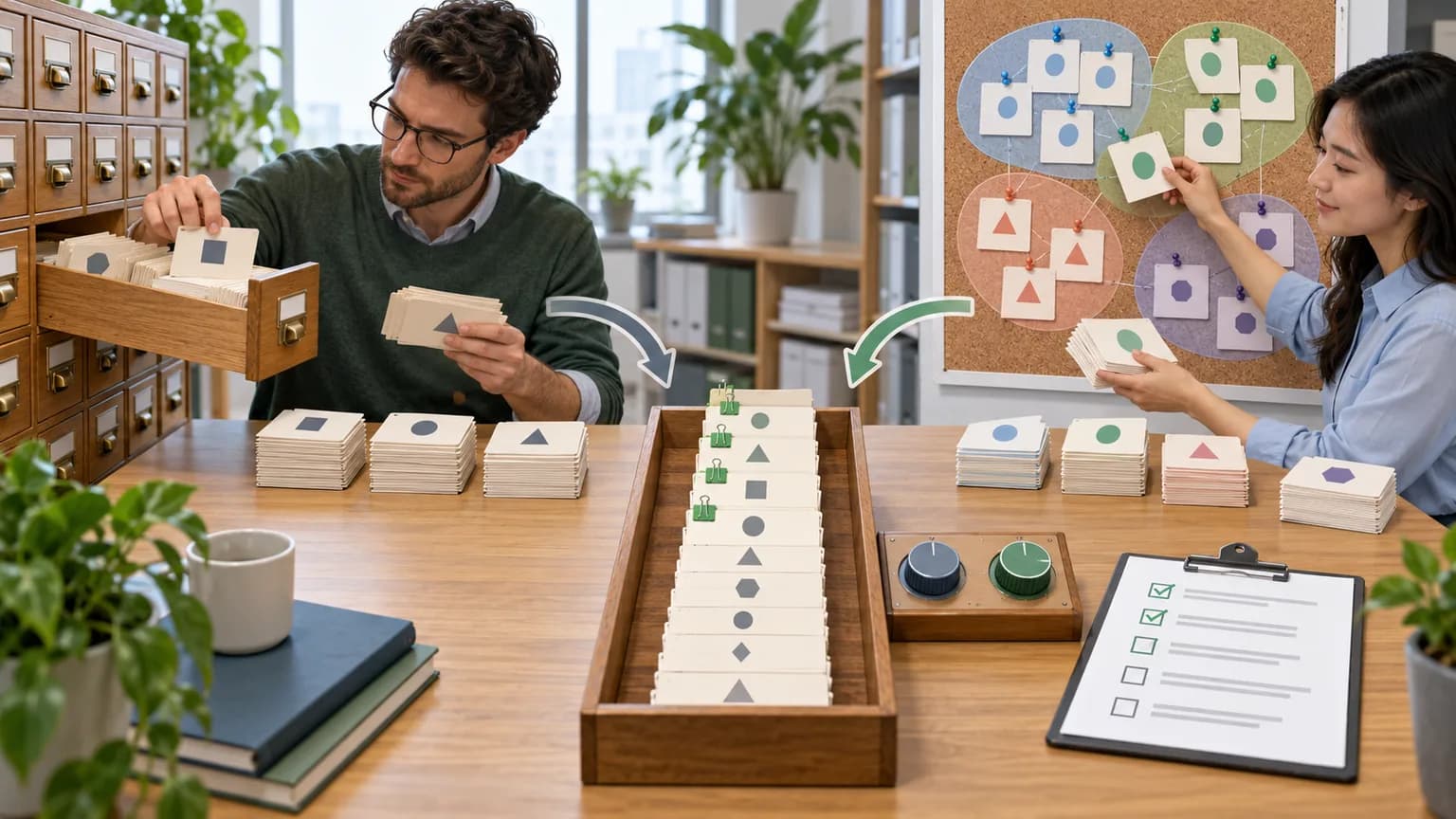
In Brief: OpenClaw 2.0 is the official release name v2026.8.1, published on August 31, 2026. It turns OpenClaw from a personal gateway to AI agents into a more mature environment for long-running, distributed, and collaborative work: with conversation search, remote sessions, managed memory, interactive outputs, team roles, and more precise permissions. This is a major update: before rolling out to production, you need a backup, openclaw doctor --fix, plus checks for plugins, memory, and execution policies.
This article is intended for developers, CTOs, AI automation owners, and team leads who already use OpenClaw or are evaluating it for their workflows. We cover features, breaking changes, security, and migration. A full fix list, LLM quality comparison, and ROI calculation are out of scope.
Contents
- What OpenClaw 2.0 Is
- Key Changes
- Memory and Self-Learning
- What Changed for Teams
- Breaking Changes
- Security
- Who Should Upgrade Now
- How to Update OpenClaw
- The CONTOUR Method
- How to Install from Scratch
- FAQ
- How AgentSunrise Helps Implement OpenClaw
- Conclusion
What OpenClaw 2.0 Is
OpenClaw 2.0 is not a separate package with semantic version 2.0.0, but the name of a major release 2026.8.1. This matters for installation, logs, and support: in the CLI, npm, GitHub, and diagnostics, you should look specifically for 2026.8.1, while using “2.0” to describe the product generation.
According to the official OpenClaw documentation, the system is a self-hosted Gateway: one process connects AI agents with a web interface, mobile nodes, and channels such as Telegram, Slack, Discord, Signal, WhatsApp, and Microsoft Teams. Tools give the agent actions, skills define repeatable instructions, and plugins add new integrations, providers, channels, and runtime capabilities.
The GitHub release v2026.8.1 was published on August 31, 2026, and signed with a verified signature. The official page separately advises backing up configuration and state before upgrading.
Key Changes
The release is easier to understand not as a long changelog, but as a shift across six working domains.
| Domain | What appeared or changed | Practical impact |
|---|---|---|
| Sessions | text search across past conversations, branching, transferring work to paired devices and cloud workers | it is easier to find, continue, and hand off a long-running task |
| Observability | durable progress cards, subagent statuses, accumulated changes | the operator can see the work after refreshing the interface |
| Interface | structured questions, an editable prompts queue, widgets, and dashboards | less manual back-and-forth with unstructured text |
| Memory | personal recall, grounded dreaming, self-learning, ownership, and forget | the agent’s experience becomes a manageable component |
| Team Collaboration | operator roles, shared sessions, owner and members, shared secrets | one Gateway can be used as a team environment |
| Execution | permission modes, approval scopes, cloud workers, headless runs | more ways to run with explicit authority boundaries |
Search and Resume Work
In OpenClaw 2.0, you can search exact words and phrases in the visible text of past conversations and open messages around the match. A session can run not only near the Gateway: the workspace can be moved to a linked machine or cloud worker, and prepared environments and project seeds can be reused. A durable progress card preserves the latest plan and status between refreshes of web and native clients.
This is more than just interface convenience. For working agents, observability matters: who created the session, where it is running, which stage is complete, and which changes have already accumulated. However, rewinding a conversation does not roll back files or external actions — the official changelog explicitly separates conversation context from tool side effects.
Interactive Outputs and Automations
The agent can display structured questions with options, free-form answers, and an explicit Skip. Widgets can be pinned to a dashboard, with specific actions and allowed network origins assigned to them. For recurring work, it is now possible to approve an exact automation operation once, then review or revoke the permission later; changing the operation requires a new approval.
This is useful for reports, workboards, and recurring checks, but the permission scope should stay narrow. “Allow this check on this schedule” is safer than giving the agent permanent access to the entire toolset.
Memory and Self-Learning
In version 2026.8.1, memory became more active. With Active Memory enabled, a personal installation can by default retrieve limited context from prior private conversations of the same agent, unless isolation of personal messages is configured. Groups and channels are excluded from this mode. The feature can be turned off with an explicit setting.
Grounded dreaming performs background memory consolidation and moves source-backed materials into long-term storage while preserving the Dream Diary. Automatic self-learning records strong reusable lessons; skills verified by the scanner or created in the Workshop can be applied automatically, while user changes remain pending.
This new memory model creates both value and new risk. A mistake in a conversation, extra personal data, or an incorrect generalization can outlive the original session. That is why the installation owner needs to answer four questions:
- Which sessions are allowed into memory.
- How the source of a record is verified.
- Who can exclude a source or trigger
openclaw memory forget. - Which learned skills are allowed to run automatically.
For more on the risks of accumulated context, see “AI Agent Memory: How Cognitive Traps Enter the Context”.
What Changed for Teams
OpenClaw 2.0 adds roles for verified users: you can use them to restrict available agents, other users’ sessions, and operator scopes, and require sandboxed execution for new sessions. Shared sessions now have a creator, an owner, and participation rules; the team can view, suggest, or make changes depending on role.
The shared credential store keeps team secrets and environment values in SQLite. Secrets remain write-only, and restricted egress can be tied to declared hosts. For a one-time credential request, the agent uses a masked prompt: the value does not have to appear in chat text or model context.
But this is not isolation for untrusted tenants. The OpenClaw architecture explanation explicitly describes team roles as collaboration tools, not a boundary for hostile multi-tenancy. If independent clients or business units should not trust each other, they need separate Gateways, environments, secrets, and logs.
Breaking changes
Before upgrading, check two required migrations and one near-term deadline.
| Change | What breaks | Operator action |
|---|---|---|
| OpenProse removed from the bundle | the built-in plugin and the /prose command disappear /prose |
save .prose, run openclaw doctor --fix, move to the upstream Agent Skill |
| OpenAI routes merged | links codex/* and openai-codex/* become deprecated |
migrate them to openai/* through doctor and resolve conflicts manually |
| SDK gate starting September 1, 2026 | a number of older plugin-sdk subpaths are scheduled for removal | update external plugins using the SDK migration guide |
Providers and integrations are becoming more modular too. BytePlus, ComfyUI, Mistral, NovitaAI, Volcengine, Xiaomi, Cohere, Meta, DuckDuckGo Search, Voyage embeddings, and iMessage are installed as separate official packages as needed. If a configured package has disappeared, the release notes recommend openclaw update repair or openclaw doctor --fix, then verify the requested capabilities and restart the Gateway.
Do not run doctor as an unreviewed “magic fix” on a single production node. First take a backup, save the command output, and compare the configuration after migration.
Security
OpenClaw 2.0 strengthens controls, but it does not make an installation secure by itself. The official architecture documentation emphasizes that sandboxing is off by default. Sandboxing, tool policy, and elevated mode are different mechanisms, and turning on one does not replace the others.
Five checks before production
- Permission mode. For production coding agents, the official guide suggests starting with
auto;fullis only appropriate for an intentional no-confirmations mode. - Exec approvals. A command runs only when policy, allowlist, and the required approval all match. A stricter host policy takes precedence.
- Plugins. Check source, version, capabilities, and the exact artifact. Arbitrary executable sources require
--force, but that is a warning, not proof of safety. - Secrets. Do not send persistent keys in the prompt. Use masked requests, restricted egress, and separate credentials per agent.
- Memory. Review recall, dreaming, self-learning, sources, and the procedure for deleting derivative memory.
The Security section recommends running openclaw security audit --deep. Its --fix is narrow: it closes open group policies to allowlists and tightens permissions on state and configuration files. It does not prove that the business process, plugins, and permissions granted to the agent are safe.
To choose an autonomy level, use reversibility of action: reading and draft preparation can be allowed more broadly, while sending a message, changing production, and making payments should require a narrow scope and confirmation. A practical matrix is in the article “Managing the Autonomy of AI Agents”.
Who should upgrade now
| Situation | Decision | Why |
|---|---|---|
| new personal installation | install 2026.8.1 | current onboarding and the latest package layout |
| test Gateway without external plugins | update after backup | low rollback cost, you can test new features |
production with codex/* routes |
staged upgrade | migration and automation route verification are required |
| production with OpenProse | first, plan the migration | bundled plugin and /prose removed |
| custom plugins on older SDK subpaths | first update the plugins | the gate is scheduled for September 1, 2026 |
| sensitive data and Active Memory | first, a privacy review | recall, dreaming, and learning change the data lifecycle |
| untrusted teams on one Gateway | do not treat roles as sufficient protection | team controls are not the same as hostile-tenant isolation |
You do not have to turn on all new features at once. Separate runtime upgrades from enabling memory, cloud workers, shared secrets, or Swarm. That way, if something fails, it is clearer which change caused it.
How to Upgrade OpenClaw
The official release does not prescribe a universal command for every installation setup, but it does require backups and migration diagnostics. The safe process consists of nine steps.
- Record the current version. Save
openclaw --version, the installation method, Node runtime, and list of active plugins. - Create a backup. Copy the configuration, state, databases, and workspace to external, verifiable storage. Version 2.0 includes
openclaw backup sqlite, but for the upgrade you will also need your system backup. - Document the policies. Save the effective exec policy, allowlists, agents, model routes, automations, and memory settings.
- Check dependencies. Find OpenProse,
codex/*,openai-codex/*and deprecated SDK imports. - Update staging. Do not start with the only production Gateway.
- Run the migration. Execute
openclaw doctor --fix, review the diff, and resolve conflicts manually. - Check the system. Use
openclaw doctor,openclaw gateway statusandopenclaw security audit --deep. - Run a regression replay. Verify channels, tools, approvals, automations, memory, plugins, and at least one real scenario for each critical class.
- Roll out gradually. Start with a limited group, then move the rest of the load; perform rollback if predefined invariants are violated.
Minimum diagnostic set after installation:
openclaw --version
openclaw doctor
openclaw gateway status
openclaw exec-policy show
openclaw security audit --deep
Do not copy configuration-changing commands without checking your installation setup. Paths, service managers, and update policies differ across macOS, Linux, Windows, containers, and external supervisors.
KONTUR Method
For migration, we recommend the KONTUR method. This is an editorial operational framework, not an official OpenClaw standard.
K — Configuration
Take an inventory of Gateway, agents, channels, plugins, models, automations, memory, and secrets. Without it, you cannot prove that the required behavior remained intact after the upgrade.
O — Rollback
Prepare a restore to a new staging location and verify that the backup can be read. An archive that has never been restored is an assumption, not a rollback plan.
N — New version
Install 2026.8.1 in staging using the same method that production will use. Do not mix OS, Node, model, and OpenClaw changes in one window unless necessary.
T — Tests
Check at minimum: inbound channel, outbound action, tool denial, approval, automation, plugin, memory retrieval, and session recovery. For critical scenarios, you need a verifiable final state, not just a polished agent response.
U — Access management
Compare permission modes, allowlists, plugin capabilities, secret scopes, and team roles. Any expansion of privileges requires a separate owner and justification.
R — Rollout
Enable runtime, memory, and new team features in separate stages. Stop criteria: Gateway does not start on the expected build, model routes changed, approval is bypassed, automation goes to the wrong context, or memory retrieves prohibited data.
How to install from scratch
The official installation guide specifies Node 26 as the recommended runtime; Node 22.22.3+, 24.15+, and 25.9+ are also supported. For macOS, Linux, and WSL2, the main installer looks like this:
curl -fsSL https://openclaw.ai/install.sh | bashFor Windows, a signed Hub installer and a PowerShell installer are available. If Node is already managed manually, OpenClaw can be installed through npm, pnpm, or bun; the commands depend on the package manager version and lifecycle script policy. For production, it is safer to open the current official installation page than to copy an old command from an article.
After onboarding, check the version, doctor, and Gateway status. Start with one agent, one channel, and a minimal tool policy, then add plugins and automations as verifiable needs arise.
Frequently Asked Questions
Are OpenClaw 2.0 and OpenClaw 2026.8.1 the same?
Yes. In the official release notes, the title is listed as v2026.8.1 (AKA OpenClaw 2.0). For installation commands, issues, and troubleshooting, use the exact version 2026.8.1.
Should everyone upgrade immediately?
No. New installations should logically start with the current release. Production environments using OpenProse, older OpenAI routes, external plugins, or sensitive memory should first go through staged migration and regression replay.
Is OpenClaw 2.0 safe by default?
There is no universal “safe by default” certification. The official documentation says sandboxing is disabled by default. Security depends on tool policy, permission mode, approvals, plugins, secrets, memory, network access, and user isolation.
What is the most important thing about the new memory?
Recall, dreaming, and self-learning can now preserve and reuse experience for longer. That means you need to control provenance, scope of use, privacy, deletion, and the right to automatically apply learned skills, along with quality.
Can one Gateway be used for multiple companies?
Team roles help with collaboration, but they are not described as protection between mutually untrusted tenants. For separate clients, it makes sense to split the Gateway, credentials, environments, and logs.
How AI Sunrise helps implement OpenClaw
AI Sunrise can connect OpenClaw or another agent runtime to a specific business process and existing systems:
- Audit the process, data, current baseline, constraints, and acceptance criteria.
- Design agent roles, RAG or an enterprise knowledge base, tool policy, approvals, and logging.
- Build an MVP, integrate it with the browser, ERP, 1C, or other work interfaces, and run testing.
- Prepare the launch, team training, and support with clear autonomy boundaries.
A safe first step is to choose one process, its current baseline, data sources, constraints, and acceptance criteria. After that, you can decide whether OpenClaw 2.0 is actually needed and which of its functions are allowed in your environment.
Conclusion
OpenClaw 2.0 is a shift toward longer-running, distributed, and collaborative agent workflows. Conversation search, remote sessions, dashboards, team roles, managed credentials, and active memory make the Gateway more useful, but they also increase the number of states and permissions that need to be managed.
The practical approach is to start a new installation with 2026.8.1, and update existing production through a controlled process: configuration inventory, verified rollback, staging, regression tests, permissions review, and phased rollout. Special attention is required for OpenProse, older OpenAI routes, external SDK plugins, and new memory modes.