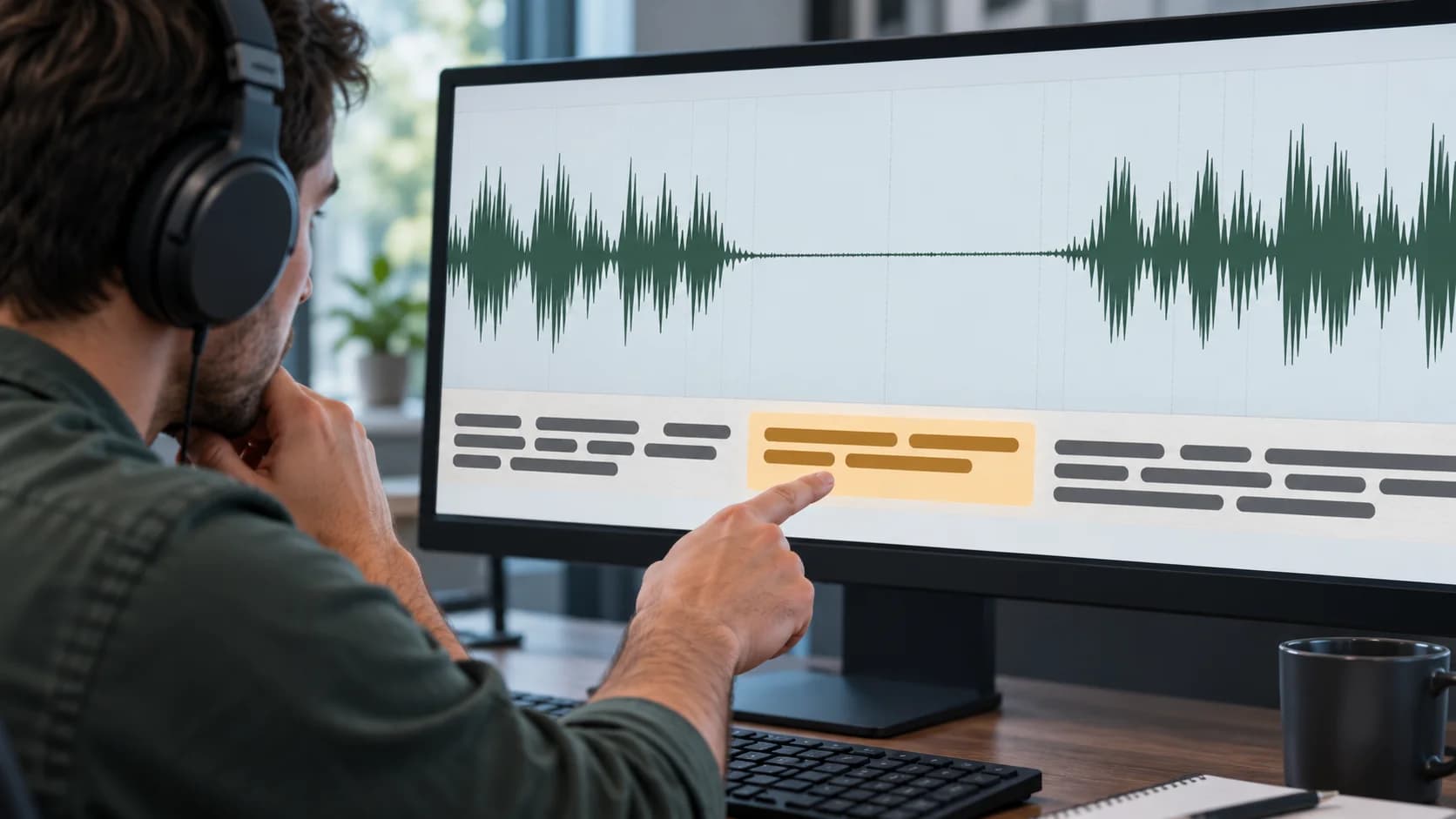
If faster-whisper adds phrases during pauses or loops the same line, first listen to the corresponding section of the source audio. Then separately check the filtering of non-speech segments and the use of previous text as context. Do not automatically delete every repeated line: in a call, “yes” or the company name may really be said several times.
This analysis is intended for a team that transcribes meeting recordings, interviews, or customer conversations using the SYSTRAN faster-whisper library. It describes documented mechanisms and the recommended troubleshooting order. The audio was not run by the editorial team, and the settings below are not a verified recipe for your workflow. Sources were checked on October 31, 2026.
Contents: How to tell a fabricated phrase from a duplicate in an integration · Cause 1. Non-speech segments are being fed into recognition · Cause 2. An error is carried over from the previous text · How to choose a fix for your own recordings
How to tell a fabricated phrase from a duplicate in an integration
Compare the text, start time, and end time of the suspicious segment with the source recording. If there is no speech in that interval but the recognized sentence is present, that is a sign of a recognition error. If the same line with the same timestamps appears twice in the database, check whether the application saved the result again.
| Observation | What to check first | Why |
|---|---|---|
| The phrase sits on music or a long pause | Speech boundaries and VAD | A non-speech section may have been included in recognition |
| One phrase runs across several windows | Previous text context | The error may have carried into the next window |
| The text and both timestamps match | Saving the result and rerunning the task | This may be a duplicate record, not a new model hypothesis |
| Quiet words disappeared after filtering | VAD settings and the original volume | Useful speech may have been excluded |
These are diagnostic directions, not proof of a specific cause. Save the audio, the original result, and the settings before making changes. Otherwise it will be hard to tell whether the error disappeared or whether part of the conversation disappeared with it.
Why recognition may continue a phrase without speech
The recognizer builds a text hypothesis from audio and context. The presence of words in the result by itself does not prove they were spoken. The faster-whisper documentation provides VAD, non-speech detection parameters, and tools for working with repeated context. These are separate mechanisms that should not be reduced to one “remove hallucinations” switch. Project README.
For business recordkeeping, the consequence is concrete: a fabricated phrase can turn into a false assignment. So when in doubt, go back to the audio fragment rather than asking another language model to polish the transcript nicely. It does not receive the missing acoustic evidence from text alone.
Cause 1. Non-speech segments are being fed into recognition
VAD is voice activity detection. In faster-whisper, it uses Silero VAD to exclude parts of the audio without speech. The README shows the parameter vad_filter=True; when using batch processing through BatchedInferencePipeline, the filter is enabled by default. Do not apply that statement to every calling method: the regular and batch paths must be checked separately. VAD integration guide.
To diagnose the regular WhisperModel.transcribe call, you can explicitly enable the filter. The minimal example assumes a compatible library and selected model are already installed, and that the file meeting.wav exists:
from faster_whisper import WhisperModel

model = WhisperModel("small", device="cpu", compute_type="int8")
segments, info = model.transcribe(
    "meeting.wav",
    language="ru",
    vad_filter=True,
)
for segment in segments:
    print(segment.start, segment.end, segment.text)
This is an adapted example from the documentation, not a run that was actually executed. It does not promise that the small model is accurate enough for business recordings. Iterating over segments matters: the result is returned as a generator, and the README separately explains that transcription happens during iteration. One call without reading the result cannot be considered completed recognition.
Compare the suspicious interval before and after the change. Then listen to the beginning and end of adjacent turns: the filter should remove the non-speech section while preserving quiet speech. If a word disappeared, do not treat a shorter transcript as better quality.
Cause 2. An error is carried over from the previous text
The parameter condition_on_previous_text determines whether the model’s previous output is passed as a prompt for the next window. The description of the regular method WhisperModel.transcribe says that turning it off may reduce the tendency to loop errors, but it can also hurt text consistency between windows. Source code and argument description.
If the issue looks like looping, rerun recognition on the same fragment with condition_on_previous_text=False, keeping everything else the same. This is a separate diagnostic test, not a universal setting for every meeting. Check whether the repetition stopped and whether names or terms started being transcribed differently in neighboring windows.
Do not change the model, filter, context, and audio preparation at the same time. Then if the error disappears, you will learn nothing about the cause. For the first comparison, it is enough to keep the same file and the same model and change only one parameter.
Cause 3. The no-speech parameter is treated as a universal filter
no_speech_threshold and VAD work at different stages. In the description of the regular method, the skip condition takes into account the probability of no speech together with the average log probability of the text and log_prob_threshold. So changing one number arbitrarily does not mean “now everything quiet will be removed.” transcribe parameter reference.
Do not start fixing things with a random set of thresholds from someone else’s example. First, record which values your call actually uses, and check the audio. To choose new values, you need your own recordings with speech, quiet words, pauses, and background noise. A threshold that works for a clean lecture should not be assumed to fit a phone call without separate testing.
Cause 4. VAD is tuned too aggressively
In the VadOptions definition threshold refers to speech probability, min_speech_duration_ms to the minimum length of a speech fragment, and speech_pad_ms to extra context added at its boundaries. The units are different: probability is not measured in milliseconds.
If short responses disappear after changing VAD, check the minimum speech duration and segment boundaries. If the beginnings or endings are being cut off, consider adding padding at the edges. Values should be tuned on labeled examples, not based on a desire to get as little text as possible. Background TV or music with voices also needs to be listened to: the presence of speech-like sound does not mean it is a meeting participant.
Why a separate hallucination parameter does not solve everything
In the standard WhisperModel.transcribe there is hallucination_silence_threshold. Its description links skipping long silent stretches when hallucination is possible to enabled word_timestamps. This is a conditional heuristic, not a guarantee that every line is accurate. Before using it, check the signature of the installed version and the chosen processing path. Method implementation and documentation.
Do not add a parameter just because its name matches the symptom. If the problem was caused by re-saving segments or by an incorrect input file, this setting will not fix the root cause. If you need to compare standard and batch runs, treat them as separate modes.
How to choose a fix for your own recordings
Collect a small set of clips from recordings that are allowed to be processed: with real speech, a long pause, a short quiet reply, music, and a repeated phrase. Note down what is actually heard next to each one. This is a suggested diagnostic set, not an experiment carried out by the editors.
Start with the default version. Then test VAD. If cyclic repetition remains, compare the use of the previous text separately. For each variant, answer two questions: did words appear without acoustic support, and did real speech disappear? Improvement in only the first metric, if it comes at the cost of losing the second, is not suitable for the workflow.
| Comparison result | Next step |
|---|---|
| The fabricated line disappeared, speech was preserved | Test the setting on the rest of the selected clips |
| Both the false line and the quiet reply disappeared | Revert to a softer processing mode and check the boundaries |
| No changes, the segments are duplicated in the database | Investigate the saving process and the task re-run |
| The repetition disappeared, but the terms became unstable | Evaluate the context tradeoff; send disputed spots for listening review |
If you need to choose a recognizer rather than fix a specific symptom, start with a separate article on local meeting transcription. Changing the settings of one engine is not the same as comparing the quality of different models.
How Vladimir Lomtev’s AI Studio helps with transcription
Vladimir Lomtev’s AI Studio can help embed audio processing into a corporate workflow:
- prepare recordings and a set of typical speech scenarios for testing;
- design an integration between speech recognition, audio storage, and linking segments to the original source;
- set up review of disputed lines before creating tasks and transcripts.
The first step is to choose one type of recording and show a processed-permitted clip with a specific incorrect result. Discuss the task.
Bottom line: fix the source of the error while preserving real speech
First, distinguish a recognition error from an integration duplicate. Then check VAD, the carryover of previous text, and only after that the special thresholds of the selected method. Make decisions based on the audio: false lines should disappear, real words should remain. Until that check is done, disputed text cannot be treated as the basis for a business assignment.